
 Written by Tristan Michel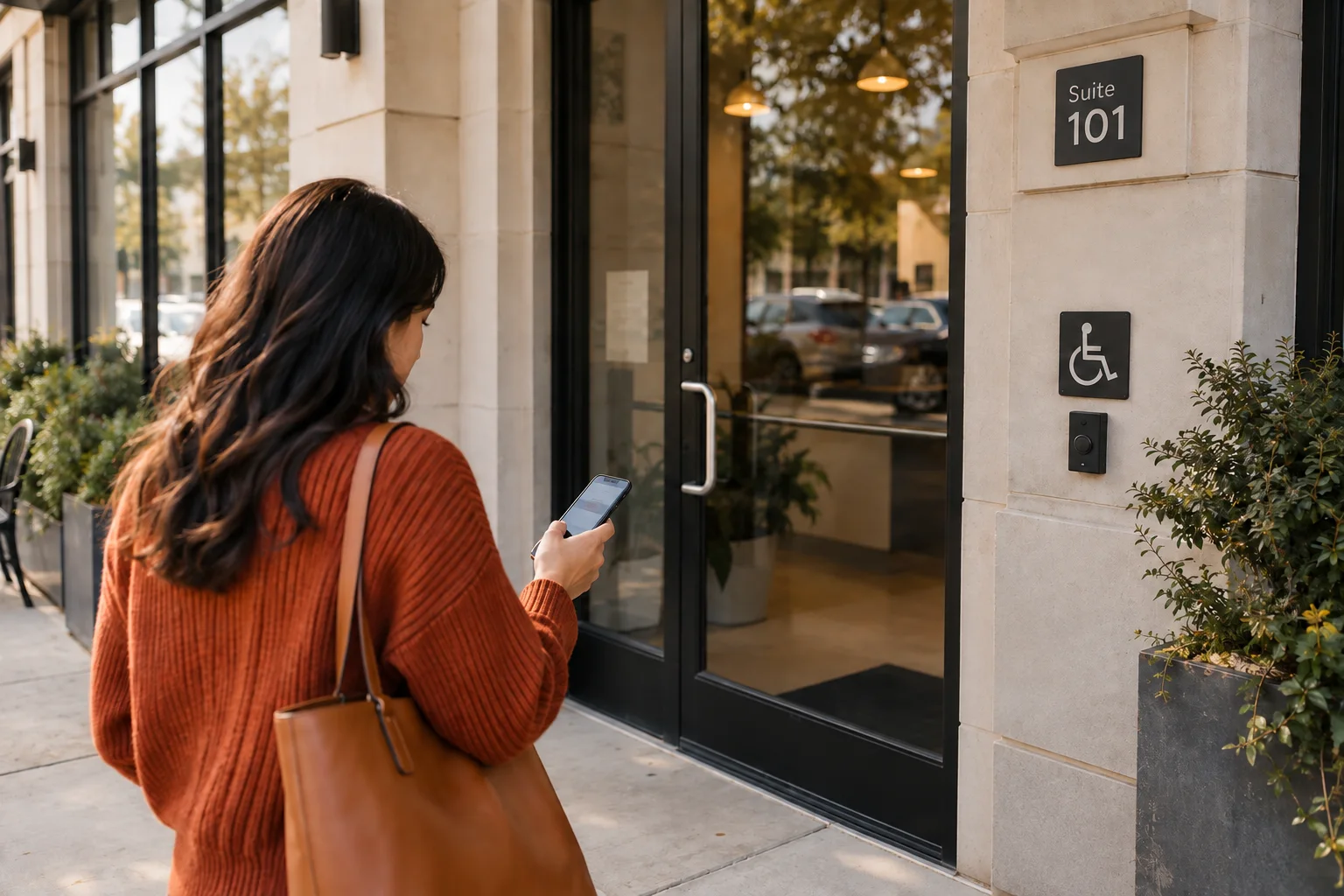
A location page is the front door to a physical branch. Often, the visitor has a clear purpose for visiting it: to confirm how near they are to it, and what particular service the branch provides. A location page is a failure if it's a carbon copy of the corporate page with the city name changed. A good one identifies the place, explains what that branch can actually do, shows when the needed service is available and gives the customer a direct next step.
Treat the page as the branch's front desk
A location page has a narrower job than the company homepage. The homepage introduces the business. A service page explains a particular job. The location page connects those answers to one place a customer can visit, call or book.
The location page should make it immediately clear what kind of branch it is: full office, pickup-only, clinic, contractor, etc. Put the branch identity near the top:
Google's Business Profile guidelines say the phone number or website should represent the individual location, and recommend a local phone number where possible. The page should feel like a route into this branch, not a detour back to a generic contact page. Finally, there should be a single call-to-action: book, call, order, or get a quote.
A company with many branches will also need a location finder or browsable list. That page helps customers choose a branch. Each branch page answers what happens after the choice.
- the real location name and street address;
- a map or directions link that opens the correct pin;
- a direct phone number when the branch has one;
- regular customer-facing hours and current special hours;
- entrance, suite, parking or accessibility details when they prevent a real mistake.
Show what a customer can actually get there
A common mistake is to use a location page to repeat the entire list of services from the corporate page. That's unhelpful. What's helpful is to note differences in availability at each branch, not to repeat generic text from the local place.
One clinic may take emergency appointments while another does not. One retailer may have a pharmacy, repair counter or rental desk. A contractor may dispatch from two staffed offices but keep specialized equipment at only one of them. If availability differs, put the difference near the relevant action. Do not advertise a service at a branch merely because the wider company sells it somewhere.
Use a separate service page when the job has its own buying questions, process or evidence. The location page only needs enough detail to establish that the service is available here and send the customer to the deeper answer.
One location can run on more than one clock
A location can't just have a single block stating hours, since different clocks (or timelines) exist across the business. A courier dropoff might be different from a notary service; some departments may close earlier than others; different departments at a big box store may close at different times. If you combine all of these into one single hours block, you'll have customers arriving at the wrong time and blaming you.
When you're looking to create the most accurate and helpful location page, you'll want to start by separating store hours from service hours (or department hours in the case of big boxes). The same distinction applies to a booking cutoff, a carrier's final pickup, same-day appointment availability or an emergency line answered after the office closes.
For each important service, ask whether the customer needs a second clock:
Put that timing beside the service or action it controls. A general hours table at the bottom of the page is not enough when the customer can arrive during open hours and still miss the service.
- a booking window or same-day cutoff;
- service or department hours;
- pickup, delivery or drop-off deadlines;
- after-hours response rules;
- seasonal availability or a temporary exception.
Use proof that belongs to the branch
A location page should help the customer recognize the place and judge whether it can handle the need. Real exterior and interior photos can show the entrance, parking, reception area, accessibility route, equipment or the team a customer will meet.
Named staff, branch-specific credentials and examples of work completed by that location can help when they answer a buying question. Keep the proof close to the claim it supports. Use reviews tied to that location when the source is clear, but do not copy them between branches or turn one customer's experience into a promise.
Write directions that prevent mistakes
Directions earn their space when the address alone is not enough. A suite inside a medical complex, an entrance around the back, a loading bay on another street or validated parking can change whether a customer arrives on time. Name a landmark only when it helps someone find the door.
Avoid filler about local attractions, weather and civic pride. Useful local writing is operational: where to turn, which entrance to use, where to park, whether stairs can be avoided and what to bring. A real storefront or reception photo helps someone recognize the destination. A skyline does not.
Do not turn a service area into a fake branch
A location page describes a real place from which the business operates. A service-area page answers where a company travels. They should not be made to look interchangeable.
Google allows separate Business Profiles for service businesses when each eligible location has separate staff and a separate service area. A page for a city where the company has no staffed location should not imply that an office exists there.
The service-area guide explains when a town deserves its own useful page. Copying the same branch template across nearby cities and changing the place name can also edge toward the kind of substantially similar regional doorway pages Google's spam policy warns about.
Use one page per real branch. If two locations share most brand language, that is fine. Their useful differences should still be visible: address, phone, hours, services, staff, arrival details, proof and next action.
Let structured data confirm the visible page
Google's LocalBusiness documentation says each location can be defined as its own LocalBusiness and supports a location-specific URL, address, phone, coordinates and opening hours. It also supports departments with their own phone numbers or hours.
Add the markup after the visible page is right. It should repeat the facts a customer can already find, not supply missing information or contradict the page. Test the booking, directions and phone links on a mobile device too. For several branches, use a named owner and an approved location record to keep the page and profiles accurate after hours, services or contact details change.
Run the five-task location test
Open the page on a phone and try to complete five tasks without using another website:
Any failure gives the page an editing assignment. Add the missing fact, move it closer to the relevant action or remove a claim the branch cannot support.
- Identify the exact branch and confirm that it is a real customer-facing location.
- Decide whether this branch handles the service or product needed.
- Find when that service is available, including any cutoff or department hours.
- Reach the branch or find the correct entrance without guessing.
- Complete the intended next step, whether that is calling, booking, ordering or requesting a quote.
Sources
- Google Business Profile Help: Guidelines for representing your business
- Google Search Central: LocalBusiness structured data
- Google Search Central: Spam policies for Google web search
- FedEx Office: Austin location page
- The UPS Store: Austin Shore District location page
- Aspen Dental: Austin office
- SERVPRO: Southeast Austin location